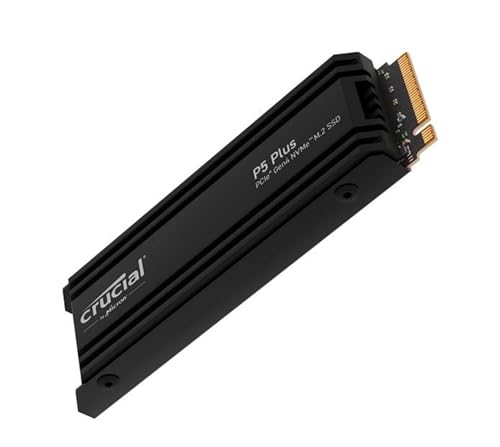
Crucial P5 Plus with Heatsink — Best Overall
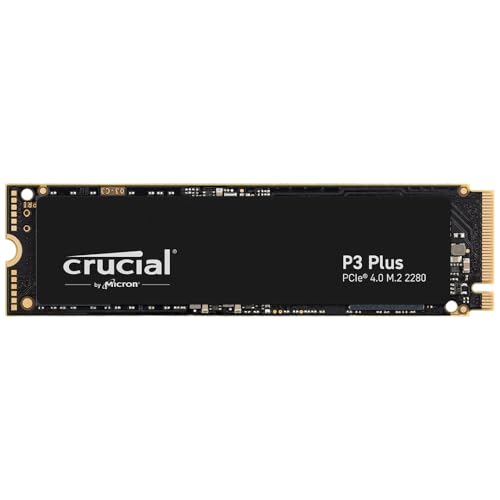
Crucial P3 Plus — Best Budget
Samsung 990 PRO — Best Premium
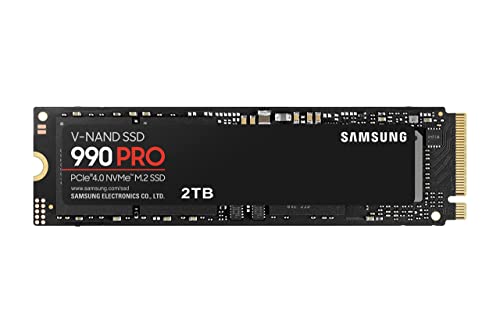
An internal solid-state drive on a Black Friday page is a capacity, a stick shape, and a bus. The three drives here are all internal M.2 NVMe parts, and they are not the same part. The Crucial P3 Plus at 500 GB is the smaller bare Gen4 stick. The Crucial P5 Plus at 1 TB is the Gen4 stick with an integrated heatsink and a higher rated read. The Samsung 990 PRO at 2 TB is the larger flagship stick with the highest sequential rating of the three. Portable SSDs with a cable and a shell are a different search. If the photo shows a rounded brick and a USB cable, you have left this page.
Sequential speeds below are the manufacturers’ published “up to” figures on these listings. They are not a test this page ran. A drive’s real copy of small files is slower than a banner number. Use the numbers to tell the models apart, then judge the capacity and the heatsink, which you will actually live with.
The 1 TB Crucial P5 Plus with heatsink, part CT1000P5PSSD5, is the Best Overall internal drive in this set because it is a Gen4 NVMe M.2 stick with an integrated heatsink and a listed sequential read up to 6,600 MB/s. That is a higher rated read than the bare 500 GB P3 Plus, and it is not the 2 TB 990 PRO. One terabyte is the capacity that replaces a cramped boot drive for a typical game library without jumping to a flagship density. The heatsink is the other reason it sits in the middle. A bare stick in a laptop, or under a motherboard’s own cover, does not want a second heatsink stacked on top. A desktop whose M.2 slot has no cover, or a PlayStation 5 that the listing says this heatsink version supports, is the case this part is describing.
Read the slot before you trust the PS5 line. Sony’s console wants a heatsink on an added drive and has a size limit for that heatsink. The listing says this P5 Plus heatsink version is compatible with a PlayStation 5. Measure anyway if your console is an older or newer revision with a different bay. A PC motherboard that already includes an M.2 cover should not wear this heatsink under that cover. Take one or the other off. Two lids on one stick bend the drive or they simply do not screw down.
The interface is NVMe, PCIe Gen4. A Gen3 slot will still run a Gen4 drive. It will not run it at the Gen4 banner. If your board is older, the P3 Plus or even a SATA drive may be the honest match, and you should not pay attention to 6,600 MB/s. Installation is internal. You shut the PC down, you seat the stick, you screw it, you then deal with cloning or a fresh install. Black Friday does not include a screwdriver or a clone of your old drive unless the listing says so.
The Crucial P3 Plus 500 GB, part CT500P3PSSD8, is the Best Budget drive because it is the smaller bare stick: 500 GB, no heatsink in the name, PCIe Gen4 x4, and a listed sequential read up to 5,000 MB/s. The role is that smaller capacity and simpler stick, not a claim about today’s lowest price. Five hundred gigabytes holds an operating system and a modest set of programs. It does not hold a modern game library plus a photo archive. If you are replacing a 256 GB boot drive and you keep games on another disk, 500 GB is a coherent step. If this is the only drive in the PC, it will feel small within a year of ordinary installs.
There is no heatsink on this part. That is correct for a laptop slot and for a motherboard cover. It is the wrong bare stick to drop into a PS5 bay that requires a heatsink, unless you add a heatsink the console can close over. The listing’s capacity line is 500 GB. The label photo may not print those digits. Trust the selected capacity in the title, CT500P3PSSD8, and reject a seller who swaps a 1 TB or 4 TB photo onto this part number.
Gen4 on a 500 GB stick is still Gen4. It is not a SATA SSD in an M.2 shell, and it is not a portable drive. If a comparison table on a retailer page calls a different model SATA, do not copy that word onto this part. The title and the part number are the identity. Installation is internal, the same screw and the same slot as the larger sticks, with less room for your files when you are done.
Skip the P3 Plus 500 GB when you already know you want a heatsink for a console or you know 500 GB is a joke for your library. Buying the small stick “to save” and then buying another drive in the spring is how people end up with two installs and one bay.
The Samsung 990 PRO 2 TB, model MZ-V9P2T0B/AM, is the Best Premium drive here because it is the 2 TB flagship internal stick with the highest sequential rating of the three: up to 7,450 MB/s read and up to 6,900 MB/s write on PCIe 4.0, in an M.2 2280 body. Premium means that capacity and that published rating, not a lab crown and not a street price. Two terabytes is the size that can be the only drive in a gaming PC without an immediate second purchase. The form factor is the standard 22 millimeter by 80 millimeter stick. It fits the usual M.2 slot. It does not fit a 2242 or 2230 slot in a handheld without an adapter the listing does not include.
Some retailer spec tables contradict the title and call this drive SATA, portable, or 2.5-inch. Those fields do not match the label, the model number, or the “About this item” lines that describe a PCIe 4.0 M.2 internal SSD. Ignore the contradictory table. If the photo is a 2.5-inch SATA brick, you are on the wrong product. The 990 PRO in this capacity is a bare internal stick unless a different SKU explicitly adds a heatsink. This part number is the drive. A heatsink bundle would say so.
Gen4 is the bus. A Gen5 motherboard does not turn this into a Gen5 drive. A Gen3 slot runs it slower than the banner. Cloning from a hard drive will not feel like 7,450 MB/s, because the hard drive is the slow half of the copy. That is normal. It is not a defective 990 PRO.
Skip this drive when 2 TB is more than the bay and the budget of attention you have, or when the machine is a laptop that already thermal-throttles a bare high-end stick. A cooler, smaller-rated drive can be the better daily part in a thin machine. The 990 PRO is the part for a desktop or a workstation slot that can feed it.
Warranty cards are not the same as a return window. Crucial and Samsung both publish limited warranties measured in years, and the exact term belongs on the current listing, not in a memory of an older drive. A warranty is a repair or replacement path after the retailer return window closes. It is not same-day shipping of your files back to you. Register the drive if the brand asks, and keep the serial. A Black Friday invoice that only says “SSD” will not help a warranty desk. The part number will.
Used and renewed internal drives are a separate risk from a scuffed portable. Flash has a write life. A renewed stick can be honest and still have a large share of that life already used. If the listing is new, keep it new. Do not “upgrade” the order to a renewed 4 TB because the photo looks similar. Health percentages in a SMART tool are useful after you own the drive. They are not a reason to invent a remaining-life claim for a sealed box you have not opened.
Solid State Drive Black Friday Deals 2026: How to Choose
Match four lines. Capacity: 500 GB, 1 TB, or 2 TB. Form: M.2, and 2280 unless the listing says otherwise. Bus: NVMe PCIe Gen4 on all three, not SATA. Heatsink: only on the P5 Plus part named above. Then match the part number. CT500P3PSSD8, CT1000P5PSSD5, and MZ-V9P2T0B/AM are not interchangeable with a nearby capacity of the same family. A 4 TB 990 PRO is a different amount of flash. A P3 Plus without the Plus is a different generation. Black Friday grids crop the capacity off the thumbnail on purpose.
The screw and the standoff are the install. Some motherboards hide the screw under the VRM heatsink. Some laptops want the original standoff height. Do not force a stick into a slot that is the wrong key. These are M-key NVMe sticks. An old SATA M.2 slot will not run them even if the card slides in. Read the motherboard manual for which slot is CPU-attached and which is chipset-attached if you care about the banner speed. The second slot is often the slower one.
Firmware is a real step on these brands. Crucial and Samsung both publish drive tools. Update after the drive is backed up, not before, and do not pull power mid-update. A Black Friday drive that arrives on old firmware is still the right model. It is not a reason to skip the model check.
Cloning is optional. A fresh install is cleaner and slower to set up. A clone from a failing hard drive copies the failure’s file system along with your files. If the old disk clicks, copy the files you need and install clean. None of these listings includes your data. They include a blank drive.
Heat is the other quiet spec. A bare 990 PRO in a laptop can get hot enough to slow down. That does not mean the published read number was a lie. It means the laptop’s slot is a small metal box. The P5 Plus heatsink helps in an open desktop or a console bay and hurts under a laptop lid that cannot close. Pick the heatsink for the bay, not for the adjective.
When the stick arrives, match the part number on the label to the title before you peel every pad. Seat it, boot once, and look at the capacity the operating system reports. A 2 TB drive will not show 2,000,000 MB of free space. Decimal gigabytes and formatted capacity are smaller. If the drive does not appear at all, reseat it before you decide it is dead. If it appears as a few gigabytes, you are not looking at the drive you ordered.
A portable SSD in the same cart is a different object with a cable. Do not “upgrade” an internal order to a portable brick because the word SSD matches. Leave the drive unformatted only long enough to confirm the operating system sees the right capacity. Then give it a filesystem you will actually use. A drive that sits raw in a drawer is not a backup. A drive that you formatted and then never copied anything onto is also not a backup. The install is finished when a folder you care about exists in two places.
The P3 Plus 500 GB is the small bare stick. The P5 Plus 1 TB is the heatsink stick. The 990 PRO 2 TB is the flagship stick, and it is not a SATA disk no matter what a stray table cell says. Match the part number, then the bay.