Samsung 870 EVO 1TB: Best Overall
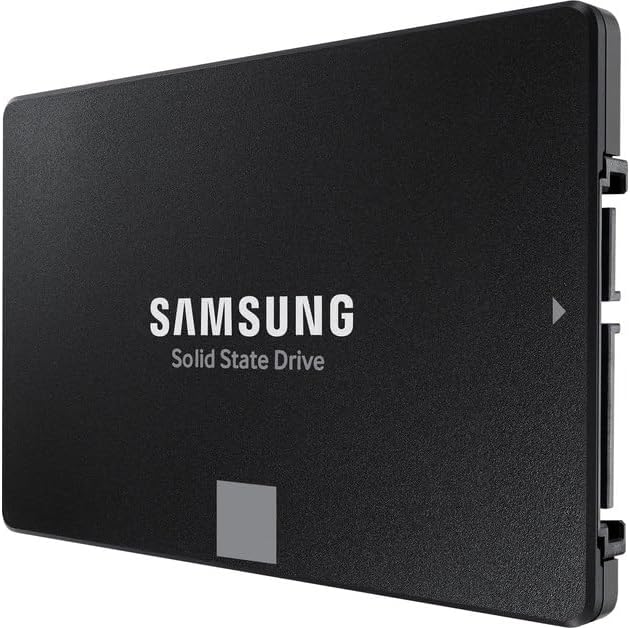
The overall drive is the Samsung 870 EVO 1TB, model MZ-77E1T0B/AM, a 2.5-inch SATA solid-state drive. The overall label is the job it does for the most people: replacing a spinning disk in a laptop or a desktop that still has a SATA bay, without requiring an M.2 slot the machine may not have. The product information lists 1TB, a 2.5-inch form, SATA, and a read-speed row of 560 megabytes per second. An About line pairs that with sequential figures around 560/530 MB/s. A different row on the same page said 560 megabits per second. That megabit row conflicts with the megabyte row and is not the spec to follow. A warranty line also disagreed with an About bullet, three years versus a five-year limited warranty, so this guide does not pick a warranty length. Read the warranty card in the box.
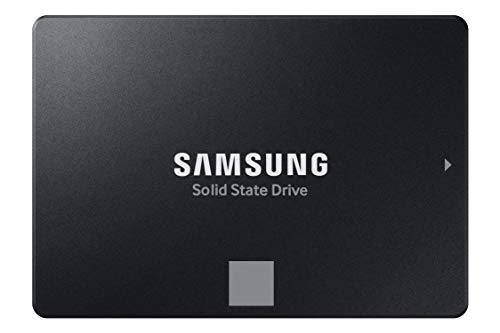
The catalog photo is a black 2.5-inch Samsung solid-state drive. The label in that photo says Samsung solid-state drive and does not print “870 EVO.” Match the model number MZ-77E1T0B/AM on the listing and on the drive, not the absence of those letters in a catalog crop. One terabyte is the capacity. A 500GB or 2TB 870 EVO is a different drive. Laptops that use a 7mm bay can take a 2.5-inch SATA SSD. A machine that only has M.2 will not. Look before you buy a drive you cannot plug in.
Buy the 870 EVO 1TB when the computer has a SATA bay and 1TB is enough for the system and the files you will keep on it. Skip it when the motherboard has a free PCIe 4.0 M.2 slot and you want the speed of the 990 PRO below. SATA will not become NVMe because both say Samsung.
WD Elements Portable 2TB: Best Budget
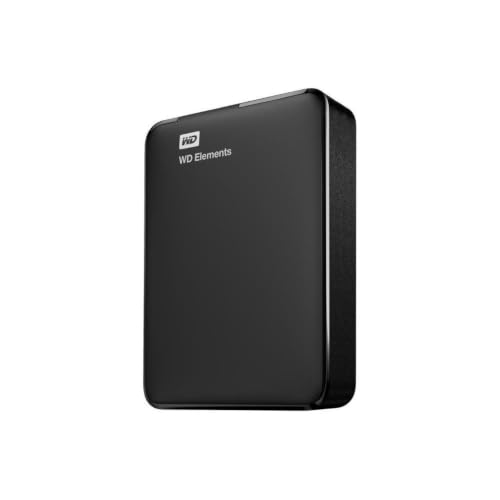
The budget drive is the WD Elements portable, 2TB, model WDBU6Y0020BBK-WESN. The budget label means a simple external spinning drive, not an SSD. The product information lists 2TB, a mechanical hard disk, USB, external installation, and 5400 RPM. The title says USB 3.2 Gen 1, also described as USB 3.0, for a PC or a Mac, plug and play. A form-factor row said 3.5 inches, which conflicts with a portable enclosure and a listed weight around a few ounces, so that 3.5-inch row is ignored. This is the pocket drive, not a desktop brick that needs its own power brick.
The capture’s featured new offer was sold by Amazon.com. A Used – Good offer from Hot Audio was also on the page. Those are different conditions. If you want a new drive, you want the new offer, not the used one. Used is a legitimate condition only when you meant to buy used and you accept that a used mechanical drive already has hours on it. Nothing here says which offer will be present later, and nothing here is a sale. Open the model number and read the condition line.
A portable hard drive is for bulk files, backups, and a media library you do not need to be fast. It is a poor boot drive. It is a poor choice for video scratch. Spinning disks fail, and a backup that lives on only one of them is not a backup. Buy the 2TB Elements when you want inexpensive capacity you can unplug, and you have confirmed new versus used. Skip a 1TB or a 4TB Elements if the listing swapped the capacity under the same photo. The model WDBU6Y0020BBK-WESN is this 2TB drive.
Samsung 990 PRO 2TB: Best Premium
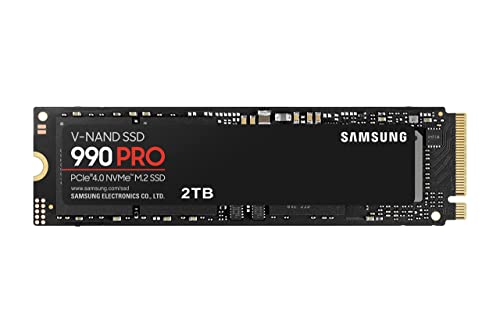
The premium drive is the Samsung 990 PRO 2TB, model MZ-V9P2T0B/AM, a PCIe 4.0 NVMe SSD in the M.2 2280 size. The premium label is that interface and that speed class. The product information lists 2TB, PCIe x4, M.2 2280, and a read-speed row of 7450 megabytes per second. The About line says sequential speeds up to 7450/6900 MB/s. A special-feature row cited speeds around 1050 MB/s and water resistance. Those values conflict with the title and the About bullets and are not this drive’s spec. The catalog image is an M.2 stick labeled Samsung 990 PRO, PCIe 4.0 NVMe, 2TB.
The computer must have an M.2 slot that can take a 2280 module, and it should be a PCIe generation that can use a PCIe 4.0 drive. An older PCIe 3.0 slot will run the drive more slowly. A laptop that only has a soldered drive will not take it at all. Heat matters. A motherboard heatsink or the laptop’s own shield is part of the install. A naked drive in a hot slot will throttle. Cloning a system onto it is a separate step from screwing it down. Have a plan for the old drive before you wipe anything.
Buy the 990 PRO 2TB when the machine has the slot and you want 2TB of fast internal storage. Skip a 990 EVO or a 1TB 990 PRO that a title shortened. Skip it as a gift for a computer you have not opened. Premium is the wrong word for a drive that cannot be installed.
Hard Drive Black Friday Deals 2026 buying advice
A hard drive purchase is a connector and a capacity. Black Friday Deals 2026 grids put a portable spinning disk, a SATA SSD, and an NVMe stick in one row because all three store files. They do not fit the same computer. The Samsung 870 EVO 1TB is the overall SATA SSD. The WD Elements 2TB is the budget external mechanical drive. The Samsung 990 PRO 2TB is the premium PCIe 4.0 SSD. Pick the bay you actually have, then pick the drive.
Internal versus external is the first cut. The 870 EVO and the 990 PRO go inside the machine. The Elements stays on a cable. If you only need a copy of photos you can put in a drawer, the external drive is the honest tool and the NVMe stick is wasted. If you are replacing a slow boot disk, the external drive will not do it. A USB enclosure can hold a 2.5-inch SATA SSD later, and that is a project, not what the Elements is.
Condition is the second cut, and it matters most on the Elements page because a new offer and a Used – Good offer were both present on the capture. New, sold by Amazon.com on that capture, is the new drive. Used – Good from Hot Audio is used. Do not let a single photo represent both. The Samsung SSDs in this set were not given a used condition in the verified pages. If a later listing says renewed, that is a different offer from the new model numbers above. Read it.
Capacity is the third cut. 1TB on the 870 EVO fills quickly if it is the only disk and you keep video. 2TB on the 990 PRO is the roomier fast disk. 2TB on the Elements is bulk, slow storage. None of these is a 4TB drive. A listing that changes the capacity and keeps the photo is a different product. Match MZ-77E1T0B/AM, WDBU6Y0020BBK-WESN, or MZ-V9P2T0B/AM.
Install and care are ordinary and they are where drives get ruined. Power the computer off before you open it. Ground yourself. Do not force an M.2 screw at an angle. Do not format the wrong disk. Copy what you need before a clone. On the portable drive, eject it before you pull the cable. Mechanical drives hate drops while they are spinning. SSDs do not want a bent connector. Encryption is your choice for a drive that can leave the house. A portable disk in a bag is easier to lose than a drive screwed into a desktop.
Skip a network-attached box, a flash drive, and an SD card if the search was one of these three. Skip any speed claim that mixes megabits and megabytes. Skip a “compatible with everything” line. The 990 PRO is not compatible with a laptop that has no M.2 slot. The 870 EVO is not compatible with a machine that has no SATA bay. The Elements needs a USB port and does not care, within reason, which of those bays you lack.
Choose the 870 EVO 1TB for a SATA upgrade. Choose the WD Elements 2TB when you want a new portable mechanical disk and you have read new versus used. Choose the 990 PRO 2TB when the PCIe slot is real and 2TB of fast internal space is the point. Black Friday is a reasonable week to buy the drive that fits the connector. It is a bad week to buy the fastest photo for a computer that cannot mount it.
Backups are the reason the external drive exists and the reason an internal upgrade still needs a second copy. A 990 PRO that holds the only copy of your photos is one board away from a bad day. Copy to the Elements, or to another disk you keep elsewhere, and then do the internal swap. The other direction works too: clone to the new SSD, boot from it, and keep the old disk untouched until the new one has been used for a week. Do not wipe the source on the same afternoon you first see the desktop. Give yourself a return path that includes your files.
Health and noise are ordinary. A mechanical Elements drive will click softly and it will not be silent. A grind, a repeated click, or a drive that disappears from the computer is a stop-using-it signal, not a quirk to format away. SSDs fail differently. They tend to work and then drop out, which is why the second copy matters more than a dashboard full of green checks. If the seller’s software offers a health read, use it once after the drive has been written and read. You do not need a benchmark suite to know whether the file you copied still opens.
Enclosures and adapters create fake compatibility. A USB-to-SATA adapter can let you clone the 870 EVO on a computer that has no bay, and then the drive still has to go into a real SATA bay to be the boot disk you wanted. A USB enclosure will not make the 990 PRO into a portable SSD. NVMe enclosures exist and they are a different product, with their own heat and their own chipset. Do not buy one by accident in a “hard drive kit” and assume it fits every M.2 stick. Read 2280 and NVMe before you add that accessory.
Check the model number on the box against the number you wrote down. The other two drives solve a different port, and a cable will not turn a spinning disk into an NVMe stick. Label the box with the capacity and the machine it belongs to before it goes in a drawer. A year from now the model number on that label is how you know which drive you can still trust.