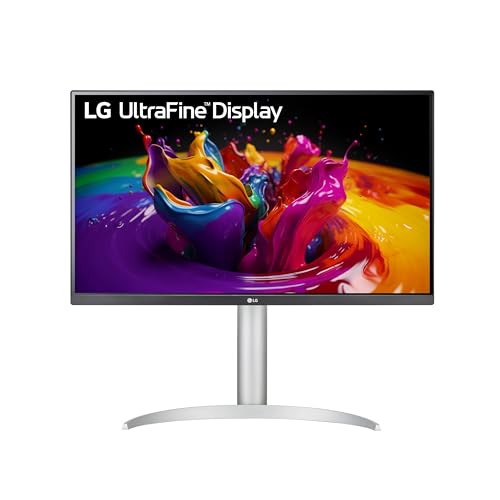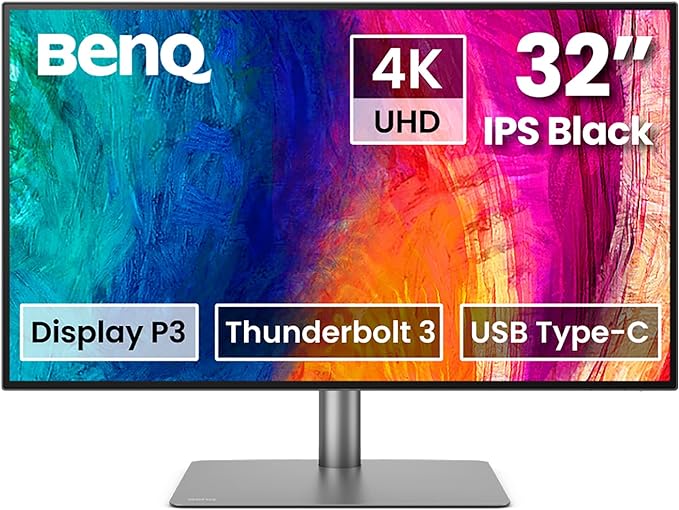
The photo and the Check Price on Amazon button use one listing: BenQ PD3225U 32 Inch 4K IPS Black UHD Thunderbolt Monitor for MacBook, AQCOLOR, 98% P3, 100% sRGB & Rec.709, DeltaE ≤2, Uniformity, Factory Calibration, USB-C 85W, USB Hub, Daisy Chain, KVM Switch. Other configurations discussed below are context, not substitutes for this link.
The BenQ PD3225U is a 32-inch monitor in BenQ’s PD series, the line aimed at design work rather than at a refresh-rate contest. It is a 4K panel, 3840 by 2160, in a 32-inch IPS-class screen, with the factory calibration story BenQ prints for this family and a USB-C input that carries video and charges a laptop. The stand raises, tilts, and pivots. A Black Friday listing is worth reading because 32-inch 4K monitors are a crowd: some are 60 Hz design panels, some are 144 Hz gaming panels with wild color modes, and some are PD-series cousins with a different suffix. PD3225U is one model code. A PD3220U or a PD3205U is not the same monitor with a typo. The suffix is the generation and the feature set.
What you are setting it on the desk to do
A 32-inch 4K desktop gives you room for a layout, a timeline, or two documents at a size you can read. The pixel density is comfortable for interface work and for photo editing at a normal sitting distance. It is not a 27-inch 5K panel, and it will not look identical to one. It is large enough that you should check the depth of your desk. The stand’s footprint plus a laptop beside it is the real estate. If you will clamp a monitor arm, confirm the VESA mount pattern on BenQ’s spec for this model and confirm the arm is rated for a 32-inch panel’s weight. A light arm that held a 27-inch will sag.
USB-C is the reason a designer with a laptop looks at this series. One cable can drive the display and charge the computer, up to the wattage BenQ lists for the PD3225U. That wattage is the number to read on the current spec sheet before you buy, because a 16-inch laptop under load may want more than a 65-watt delivery, and a lighter laptop will be fine. If the wattage is too low for your machine, you will still use the monitor for the picture and you will keep a separate charger. That is a normal outcome. It should not be a surprise you discover in a café.
Color is the other reason. PD monitors ship with a factory calibration report in the box or available by serial number, and they cover a wide gamut aimed at sRGB, Rec.709, and a P3 or Adobe RGB mode depending on the exact model’s spec. Use the numbers on BenQ’s page for the PD3225U rather than a number copied from a different PD. Calibrate again later with your own puck if your print work demands it. The factory report is a starting point, not a lifetime certificate. Uniformity on a 32-inch panel is never perfect. Look at a white page on arrival for a corner you cannot accept.
The monitor is a 60 Hz class design display unless BenQ’s page for this exact code says otherwise. Do not buy it to play a competitive shooter. A gaming monitor with the same diagonal will feel quicker and will usually look worse on a color-managed photo. Different job. Speakers in the chassis, if this model includes them, are for a meeting, not for music you care about. Plan on desktop speakers or headphones.
The ports and the Mac or PC you already own
Thunderbolt and USB-C naming gets sloppy on marketplace titles. Read the port list. You want to know whether video over USB-C is DisplayPort Alt Mode, whether there is a Thunderbolt input, and whether the downstream USB ports can see a drive and a keyboard. A KVM feature, if this model has one, lets two computers share the keyboard. If you live on one laptop, you will not miss a KVM. If you live on a tower and a laptop, you will use it every day. Check whether the PD3225U includes it rather than assuming every PD does.
macOS and Windows both drive 4K. Set the resolution and the scaling so type is readable. A 32-inch 4K panel often wants a scaling step above 100 percent for interface text, which is not a defect. HDR on a design monitor of this class is limited compared with a television that advertises a huge nit peak. Use the accurate SDR modes for color work. Turn on a punchy HDR mode only if you are watching a video and you like it. Do not grade a photo in a mode that was built to look vivid in a store.
The hood, the hotkey puck, and the calibration report are the accessories that belong to this series. A bundle that includes the puck is more useful than a bundle that includes a cleaning cloth and a webcam. Confirm the puck model matches. Confirm the power cable is a US cable.
BenQ PD3225U Black Friday Deal Buying Advice: Black Friday Deals 2026
Read three lines on the listing and ignore the lifestyle adjectives. The model must be PD3225U. The panel must be 32-inch 4K. The USB-C power-delivery wattage must be the one BenQ lists, and it must be enough for your laptop or you must be willing to keep a second charger. Then compare the live price with other 32-inch 4K design monitors only if you are willing to compare gamut and calibration, not just inches.
On arrival, inspect the panel with a plain white image and a plain black image before you install every app. A stuck pixel or a crack in a corner is a return. Raise and lower the stand. Pivot once if you will use it vertical, and make sure the cable slack is real. Connect your laptop with the USB-C cable in the box and see whether it charges and displays. Connect a second computer if you bought it for the KVM. Install BenQ’s software only if you need the color modes it unlocks. Update the firmware if BenQ has one for this model. These checks fit in the return window and they are the checks that match this monitor’s job.
Ignore a “gaming” badge someone pasted on a 60 Hz design panel. Ignore a calibration story that does not name this model. The PD3225U is a 32-inch 4K design monitor with a USB-C dock story and a factory report. Black Friday is a reasonable week to buy that specific code if the wattage fits your laptop. Check the code, check the wattage, and read the live price.